Sunday, May 6, 2012
Network devices
Network Bridge
A network bridge, also known as a layer 2 switch, is a hardware device used to create a connection between two separate computer networks or to divide one network into two. Both networks usually use the same protocol; Ethernet is an example of a protocol. Network devices include, but are not limited to, Personal Computers (PCs), printers, routers, switches and hubs. Devices connected to a network via an Ethernet adapter card have what is known as a Media Access Control (MAC) address, also called a physical or hardware address. It is this address that uniquely identifies a device to a bridge that can then determine to which network the device is connected.
The principal function of a network bridge is to forward data based on the MAC address of the sending and receiving devices. This operation helps to eliminate what are known as collision domains. One way of defining a collision domain is a network in which one device, also called a node, forces every other device to listen when it is transmitting data packets. Another definition states that a collision domain exists when two or more devices attempt to transmit information at the exact same time. Networks running Carrier Sense Multiple Access/Collision Detection (CSMA/CD) should, in theory, be protected from collisions occurring, but CSMA/CD can fail.


Network Devices
What is a router ??
A router is a device that forwards data packets along networks. A router is connected to at least two networks, commonly two LANs or WANs or a LAN and its ISP's network. Routers are located at gateways, the places where two or more networks connect, and are the critical device that keeps data flowing between networks and keeps the networks connected to the Internet.
When data is sent between locations on one network or from one network to a second network the data is always seen and directed to the correct location by the router. The router accomplishes this by using headers and forwarding tables to determine the best path for forwarding the data packets, and they also use protocols such as ICMP to communicate with each other and configure the best route between any two hosts.
The Internet itself is a global network connecting millions of computers and smaller networks — so you can see how crucial the role of a router is to our way of communicating and computing.
Types of routers
Broadband Routers
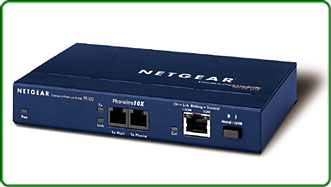
Broadband routers can be used to do several different types of things. They can be used to connect two different computers or to connect two computers to the Internet. They can also be used to create a phone connection.
If you are using Voice over IP (VoIP) technology, then you will need a broadband router to connect your Internet to your phone. These are often a special type of modem that will have both Ethernet and phone jacks. Although this may seem a little confusing, simply follow the instructions that your VoIP provider sends with your broadband router - usually you must purchase the router from the company in order to obtain the service.
Wireless Routers
 Wireless routers connect to your modem and create a wireless signal in your home or office. So, any computer within range can connect to your wireless router and use your broadband Internet for free. The only way to keep anyone from connecting to your system is to secure your router.
A word of warning about wireless routers: Be sure your secure them, or you will be susceptible to hackers and identity thieves. In order to secure your router, you simply need to come to WhatIsMyIPAddress.com, and get your IP address. Then, you'll type that into your web browser and log into your router (the user ID and password will come with your router).
Remember to change the router ID and password as well or someone else might lock you out of your system.
Once there, visit the wireless settings, type in a security key and you'll be about ready to go. Make sure you write down the key or save it in a Word document. When you try to log onto your Internet connection, you'll just need to enter the key. Your computer should remember the key, but write it down somewhere for safe keeping just in case.
Wireless routers connect to your modem and create a wireless signal in your home or office. So, any computer within range can connect to your wireless router and use your broadband Internet for free. The only way to keep anyone from connecting to your system is to secure your router.
A word of warning about wireless routers: Be sure your secure them, or you will be susceptible to hackers and identity thieves. In order to secure your router, you simply need to come to WhatIsMyIPAddress.com, and get your IP address. Then, you'll type that into your web browser and log into your router (the user ID and password will come with your router).
Remember to change the router ID and password as well or someone else might lock you out of your system.
Once there, visit the wireless settings, type in a security key and you'll be about ready to go. Make sure you write down the key or save it in a Word document. When you try to log onto your Internet connection, you'll just need to enter the key. Your computer should remember the key, but write it down somewhere for safe keeping just in case.

Friday, May 4, 2012
Network Devices
What is a switch ??
A network switch or switching hub is a computer networking device that connects network segments or network devices.
In the traditional circuit-switched telephone network, one or more switches are used to set up a dedicated though temporary connection or circuit for an exchange between two or more parties. On an Ethernet local area network (LAN), a switch determines from the physical device (Media Access Control or MAC) address in each incoming message frame which output port to forward it to and out of. In a wide area packet-switched network such as the Internet, a switch determines from the IP address in each packet which output port to use for the next part of its trip to the intended destination.
Switch Function :
switch is a telecommunication device which receives a message from any device connected to it and then transmits the message only to that device for which the message was meant. This makes the switch a more intelligent device than a hub


Wikis ??!!
We always use the website wikipedia as our rresearch reference , but what is a wiki exactly and what features it offers ??
Wiki is an Hawaiian word meaning "fast" or "quick". It is a piece of server software that allows users to freely create and edit Web page content using any Web browser. Ward Cunningham, was the developer of the first wiki software, WikiWikiWeb, originally described it as "the simplest online database that could possibly work.
Moreover,Wiki supports hyperlinks and has a simple text syntax for creating new pages and crosslinks between internal pages on the fly.
 Wiki is unusual among group communication mechanisms in that it allows the organization of contributions to be edited in addition to the content itself.
Like many simple concepts, "open editing" has some profound and subtle effects on Wiki usage. Allowing everyday users to create and edit any page in a Web site is exciting in that it encourages democratic use of the Web and promotes content composition by nontechnical users.
What is Wikispaces Private Label?
A Wikispaces Private Label site is a secure, dedicated wiki environment — like a clone of Wikispaces.com, but with your organization’s DNA mixed in. You get unlimited wikis (and everything you need to manage them), plus tools to integrate the site with your other systems and support your users. Furthermore you can Make changes to any page on your wiki from any computer or web-enabled device, you can also create rich appealing pages that contains widgets like video, calendars, and visitor counters can make your wiki more attractive, engaging, and useful.
Wiki is unusual among group communication mechanisms in that it allows the organization of contributions to be edited in addition to the content itself.
Like many simple concepts, "open editing" has some profound and subtle effects on Wiki usage. Allowing everyday users to create and edit any page in a Web site is exciting in that it encourages democratic use of the Web and promotes content composition by nontechnical users.
What is Wikispaces Private Label?
A Wikispaces Private Label site is a secure, dedicated wiki environment — like a clone of Wikispaces.com, but with your organization’s DNA mixed in. You get unlimited wikis (and everything you need to manage them), plus tools to integrate the site with your other systems and support your users. Furthermore you can Make changes to any page on your wiki from any computer or web-enabled device, you can also create rich appealing pages that contains widgets like video, calendars, and visitor counters can make your wiki more attractive, engaging, and useful.

Saturday, April 28, 2012
THE DIGITAL DIVIDE

Thursday, October 27, 2011
Applications of Expert System
Hello Every one..
we have recently studies in ICT class abou "Expert Systems" and after the lesson we were asked to publish a post about some of applications of an Expert system.
What is an Expert System ?
An expert system is computer software that attempts to act like a human expert on a particular subject area.
Expert systems are often used to advise non-experts in situations where a human expert in unavailable (for example it may be too expensive to employ a human expert, or it might be a difficult to reach location).
Some Application of an Expert System :
1- Highly interactive or conversational applications, IVR, voice server, chatterbot
2- Fault diagnosis for example examining a car in a garage.
3- Medical diagnosis.
4- Educational software.
5- Decision support in complex systems like interactive user guide and Tutorials softwares.
6- Providing financial advice
7- Helping to identify items such as plants / animals / rocks / etc
8- Playing strategy games like chess against a computer (the knowledge base would contain strategies and moves, the player's moves would be used as the query, and the output would be the computer's 'expert' moves)
THANKS FOR READING
we have recently studies in ICT class abou "Expert Systems" and after the lesson we were asked to publish a post about some of applications of an Expert system.
What is an Expert System ?

An expert system is computer software that attempts to act like a human expert on a particular subject area.
Expert systems are often used to advise non-experts in situations where a human expert in unavailable (for example it may be too expensive to employ a human expert, or it might be a difficult to reach location).
Some Application of an Expert System :
1- Highly interactive or conversational applications, IVR, voice server, chatterbot
2- Fault diagnosis for example examining a car in a garage.
3- Medical diagnosis.

4- Educational software.
5- Decision support in complex systems like interactive user guide and Tutorials softwares.
6- Providing financial advice
7- Helping to identify items such as plants / animals / rocks / etc
8- Playing strategy games like chess against a computer (the knowledge base would contain strategies and moves, the player's moves would be used as the query, and the output would be the computer's 'expert' moves)
THANKS FOR READING
Tuesday, October 4, 2011
Analysing a System (Flow Charts and Flow Diagrams)
When analysing a system the analyst after finishing the stsge of information collection and then selecting the output and input methods he reaches to a stage of Recording information about the system.In this stage the analyst can use data flow and data diagram charts to make this stage easier.
And in this post am gonna write about about the system data flow diagram and the others...
1- Program flow charts
Program flow charts are a way of displaying how data flows in a system and how decisions are made to control events.
To illustrate this, symbols are used. They are connected together to show what happens to data and where it goes. The basic ones include:

2- System Flow charts
A system flow chart is used to show how data in a computer system is processed. It does not involve the complex detail of the porgram instructions(which are represented by the porgram flow charts) but it gives a broad view of the system operation.
Example :

Data Flow Diagrams:
Data Flow Diagram (DFD) is an important technique for modeling a system’s high-level detail by showing how input data is transformed to output results through a sequence of functional transformations. DFDs reveal relationships among and between the various components in a program or system.
DFDs consists of four major components: entities, processes, data stores and data flows.
Example :

Process flow diagram :
A process flow diagram (PFD) is a diagram commonly used in engineering to indicate the general flow of plant processes and equipment. The PFD displays the relationship between major equipment of a plant facility and does not show minor details such as piping details and designations. Another commonly-used term for a PFD is a flowsheet. Typically, process flow diagrams of a single unit process will include the following:
Process piping
Major bypass and recirculation lines
Major equipment symbols, names and identification numbers
Flow directions
Control loops that affect operation of the system
Interconnection with other systems
System ratings and operational values as minimum, normal and maximum flow, temperature and pressure
Composition of fluids
Example :

THE END....
And in this post am gonna write about about the system data flow diagram and the others...
1- Program flow charts
Program flow charts are a way of displaying how data flows in a system and how decisions are made to control events.
To illustrate this, symbols are used. They are connected together to show what happens to data and where it goes. The basic ones include:

2- System Flow charts
A system flow chart is used to show how data in a computer system is processed. It does not involve the complex detail of the porgram instructions(which are represented by the porgram flow charts) but it gives a broad view of the system operation.
Example :

Data Flow Diagrams:
Data Flow Diagram (DFD) is an important technique for modeling a system’s high-level detail by showing how input data is transformed to output results through a sequence of functional transformations. DFDs reveal relationships among and between the various components in a program or system.
DFDs consists of four major components: entities, processes, data stores and data flows.
Example :

Process flow diagram :
A process flow diagram (PFD) is a diagram commonly used in engineering to indicate the general flow of plant processes and equipment. The PFD displays the relationship between major equipment of a plant facility and does not show minor details such as piping details and designations. Another commonly-used term for a PFD is a flowsheet. Typically, process flow diagrams of a single unit process will include the following:
Process piping
Major bypass and recirculation lines
Major equipment symbols, names and identification numbers
Flow directions
Control loops that affect operation of the system
Interconnection with other systems
System ratings and operational values as minimum, normal and maximum flow, temperature and pressure
Composition of fluids
Example :

THE END....
Subscribe to:
Posts (Atom)